Reclaim 50–150 GB with a macOS Developer Disk Cleaner
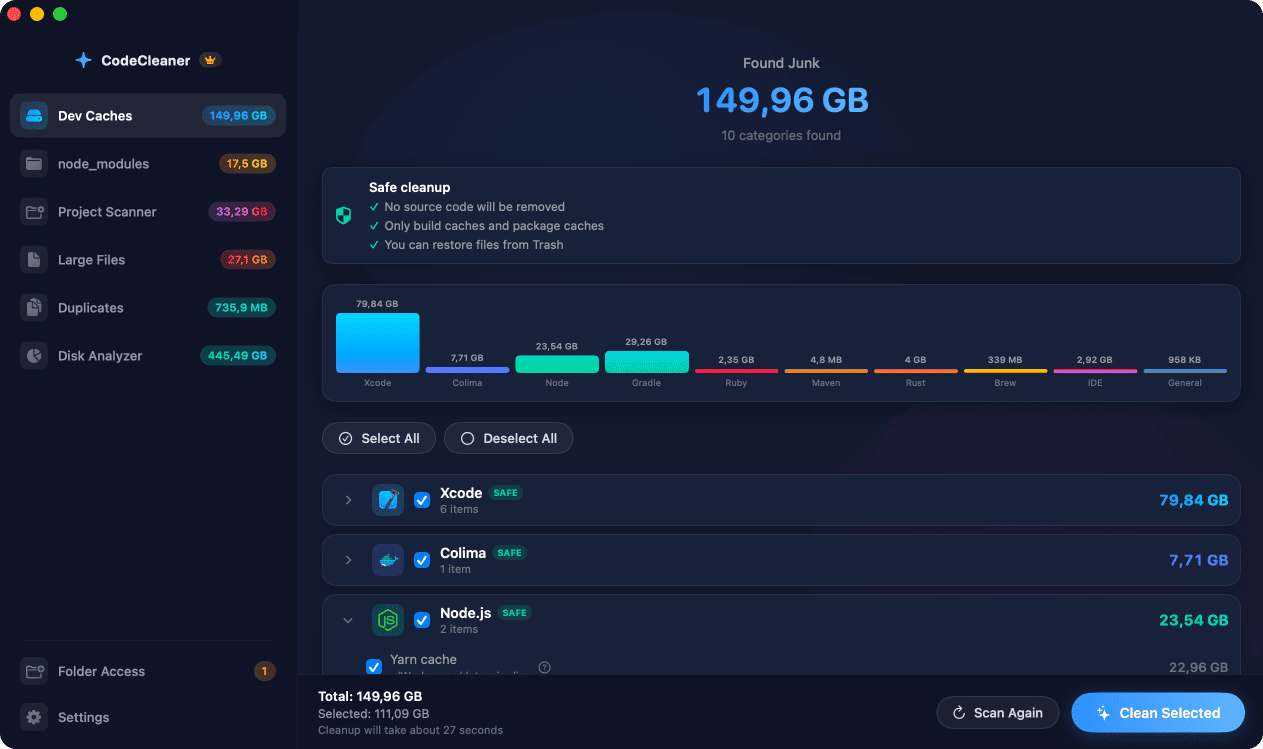
CodeCleaner is a native macOS app that finds and safely removes Xcode DerivedData, iOS Simulators, node_modules, Docker images, Colima VMs, Rust/Cargo, Python virtualenvs, Gradle builds, Go modules, Homebrew bottles, and IDE caches — six specialized tools built for developers who need their disk space back.
Requires macOS 14 Sonoma or later. Native on Apple Silicon & Intel.
Built for developers, not generic Mac cleanup
CleanMyMac and DaisyDisk-style tools show general disk usage. They do not understand Xcode DerivedData, iOS simulator runtimes, Docker image layers, scattered node_modules, or Cargo registries. CodeCleaner maps regenerable developer caches and build artifacts — scan first, review before deleting.
Who CodeCleaner is for
Pick your stack — each guide includes manual Terminal commands and a safer CodeCleaner option.
iOS & macOS developers
Xcode DerivedData, simulators, archives, DeviceSupport, SPM cache.
Read guideJavaScript & TypeScript developers
node_modules, npm, yarn, pnpm, Next.js .next, dist/build folders.
Read guideBackend & DevOps developers
Docker, Colima, Lima VMs, images, volumes, build cache.
Read guideAndroid developers
Gradle, Android Studio, AVD emulator images.
Read guidePolyglot developers
Rust, Python, Go, Ruby, Flutter, Maven, Homebrew caches.
Read guideAI & Cursor users
Cursor, VS Code, JetBrains caches, workspace storage, logs.
Read guideYour development tools are silently eating your disk space
Xcode, Docker, Colima, Node.js, Rust, Python, Gradle, Go, Ruby, Flutter, Homebrew, and your IDE create massive hidden caches and build artifacts that grow every day — consuming 50–150 GB that you could reclaim right now.
Xcode Caches
DerivedData, Archives, DeviceSupport, iOS/watchOS Simulators, SPM cache
~25–60 GB
Docker & Colima
Unused images, stopped containers, dangling volumes, build cache, Lima VMs
~10–30 GB
Node.js Caches
npm, pnpm, yarn global caches + scattered node_modules
~5–15 GB
Rust / Cargo
Cargo registry, git checkouts, Rustup toolchains
~3–10 GB
Python
pip, Poetry, Conda caches, virtualenvs, pyenv, pipx, Ruff/mypy
~2–8 GB
Android / Gradle
Gradle caches, daemon, wrapper, AVD images, Android Studio logs
~5–12 GB
Homebrew
Downloaded bottles, formula cache, outdated packages
~2–5 GB
IDE Caches
VS Code, Cursor, JetBrains — extensions, workspace storage, logs
~2–5 GB
Go, Ruby, Flutter & More
Go modules, gem cache, pub cache, Maven repo, diagnostic reports
~2–8 GB
Six specialized tools, one native macOS app
Purpose-built for developers who use Xcode, Node.js, Rust, Python, Docker, Go, Gradle, and more. Each module targets a different source of wasted disk space — from global caches to per-project build artifacts to forgotten large files and duplicates.
Dev Caches Cleanup
Automatically detect and safely remove developer-specific caches that generic cleaners miss. CodeCleaner intelligently detects which tools you have installed — Xcode, Docker, Node.js, Rust, Python, Go, Ruby, Flutter, Gradle, Homebrew, and more — and only scans relevant cache paths for speed.
- Xcode DerivedData, Simulators & SPM cache
- Docker & Colima images, volumes, and VMs
- npm / yarn / pnpm global caches
- Rust Cargo registry & Rustup toolchains
- Python pip, Poetry, Conda & virtualenvs
- Gradle, Android build cache & AVD images
- Go modules & build cache
- Ruby gems, CocoaPods, Homebrew bottles
- VS Code, Cursor & JetBrains IDE caches
node_modules Scanner
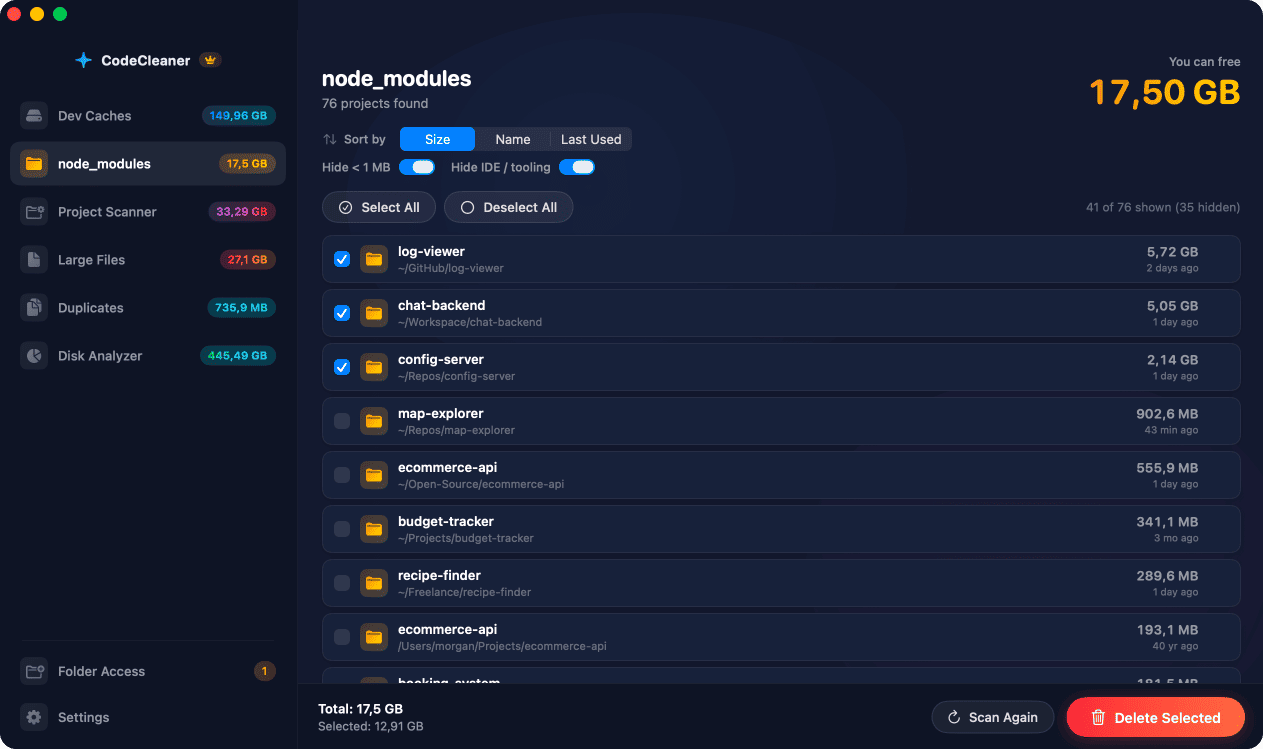
Find every node_modules folder scattered across your entire filesystem. JavaScript and TypeScript developers accumulate dozens of projects over time, each with a full copy of its dependencies. This scanner locates them all, shows their sizes, and lets you clean up in bulk.
- Full-disk recursive node_modules search
- Sort by size, name, or last used date
- Filter out folders under 1 MB
- Hide IDE & tooling directories
- Regenerate with npm/yarn/pnpm install
- Bulk select and delete
Project Build Artifact Scanner
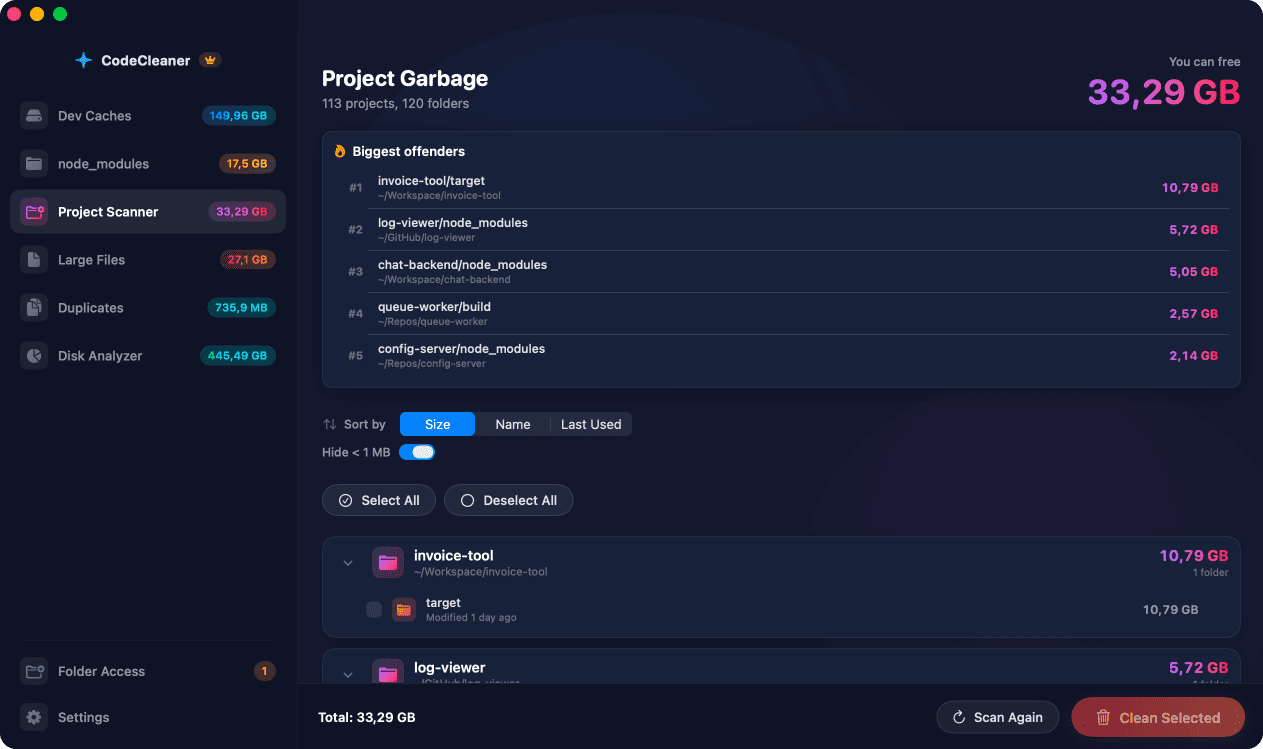
Detect large build output folders inside your projects that can be safely regenerated. Finds node_modules, target (Rust/Java), build, dist, .next, .nuxt, .cache, Python venvs, and __pycache__ across all your project directories.
- node_modules in JS/TS projects
- target in Rust & Java/Gradle projects
- build / dist output folders
- .next, .nuxt, and .cache directories
- Python venv & __pycache__ folders
- Biggest offenders ranking
Large File Finder
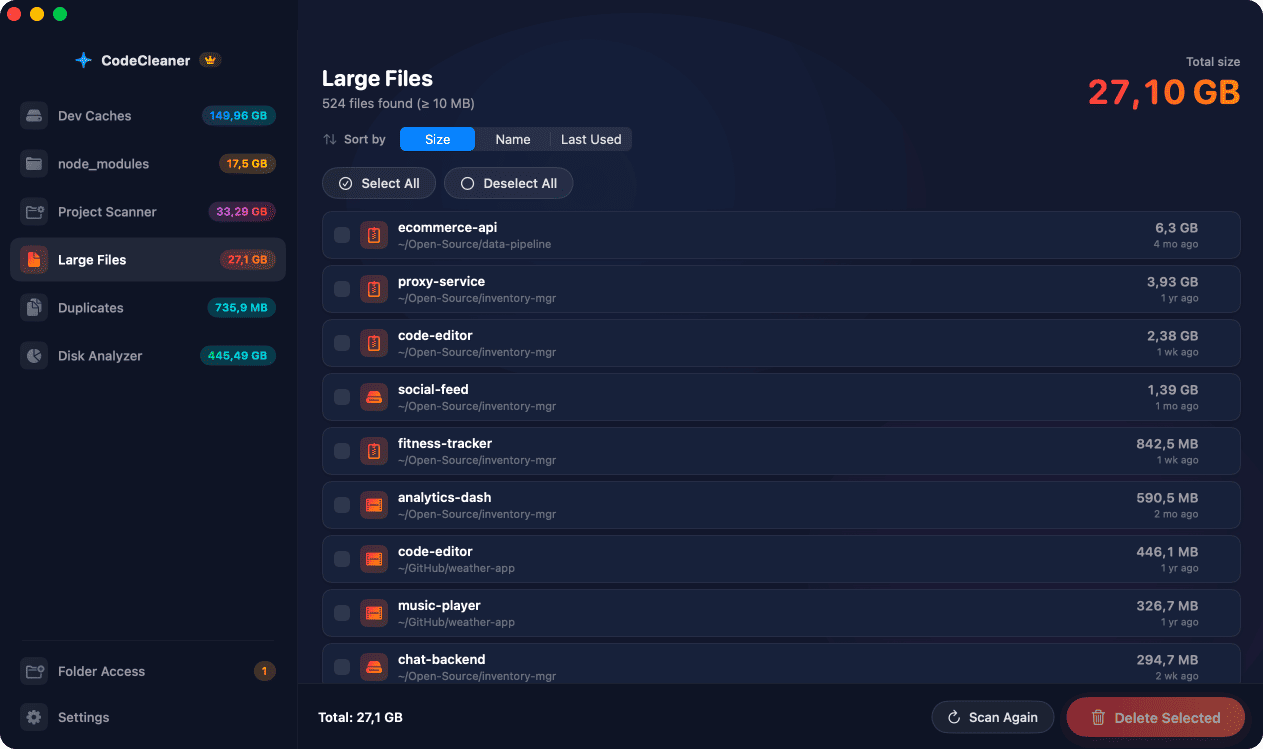
Scan your home directory for large files that may be forgotten disk images, database dumps, video recordings, or old archives. Configurable size threshold (default 100 MB) with smart filtering that skips dependency and build trees to avoid noise.
- Configurable minimum file size
- Skips build & dependency trees
- Finds forgotten disk images & dumps
- Works within granted folder access
- Quick size-sorted results
- Safe review before deletion
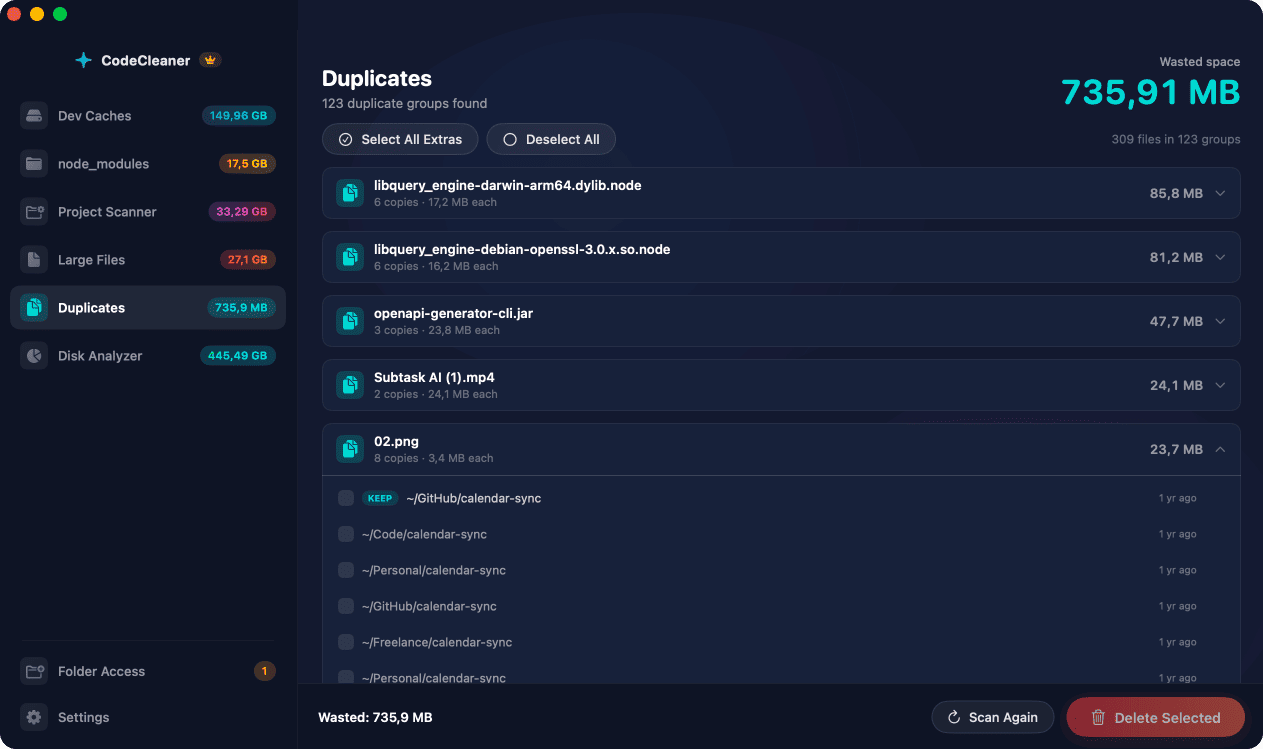
Duplicate File Detector
Find duplicate files consuming wasted disk space using fast CryptoKit hashing. Focuses on files larger than 1 MB and uses partial hashing for efficiency. Smart skip lists automatically exclude node_modules, build outputs, caches, and .git directories.
- CryptoKit-based file hashing
- Partial hash for large files
- Groups duplicates by content
- Calculates wasted space per group
- Skips build & dependency folders
- Select which copies to remove
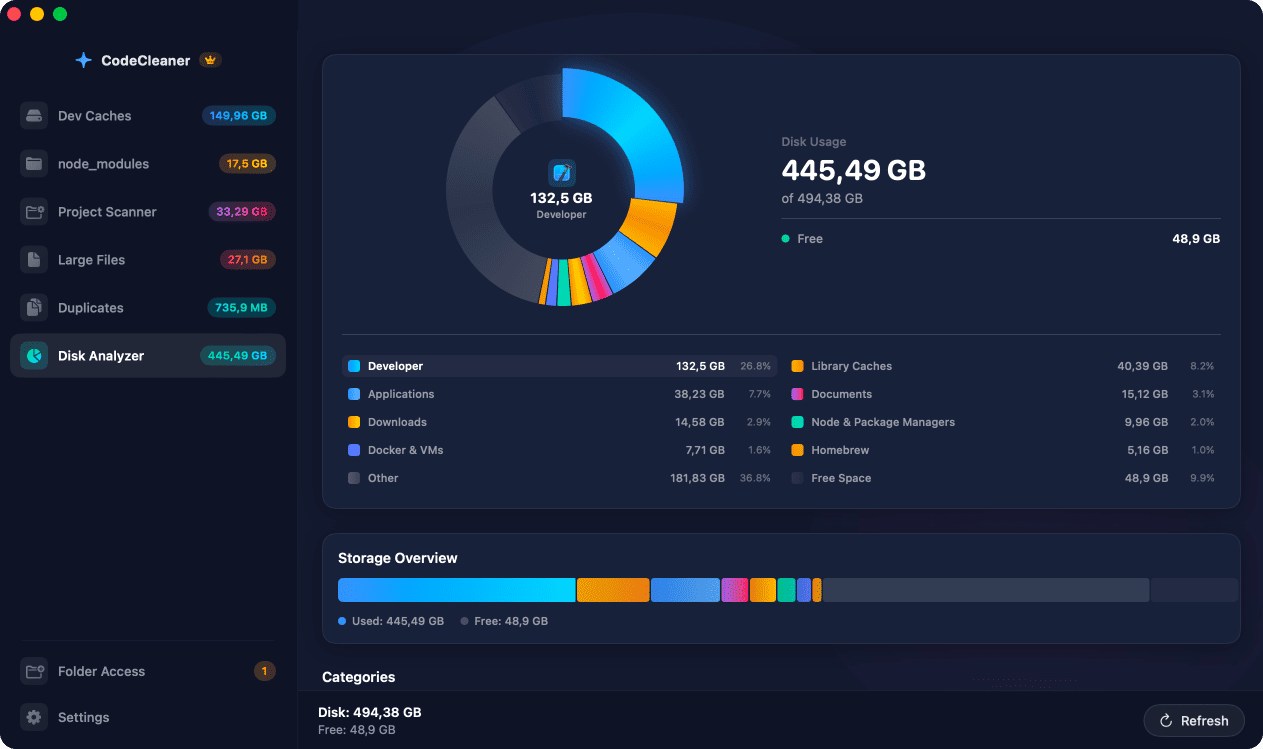
Disk Space Analyzer
Visualize your entire disk usage with a developer-focused breakdown. See exactly how much space Xcode, Docker, Node packages, Python environments, Homebrew, Applications, Documents, and system caches consume — with capacity, used, free, and purgeable space at a glance.
- Interactive donut chart overview
- Developer-focused category breakdown
- Docker, Node, Homebrew sizing
- Capacity / used / free / purgeable
- Parallel scanning with timeouts
- Reveal any folder in Finder
Three steps to reclaim your disk space
No configuration needed. CodeCleaner auto-detects your development toolchain, scans the right paths in parallel, and lets you review every item before anything is deleted. Safe by design.
Scan your Mac
CodeCleaner auto-detects which developer tools you have installed — Xcode, Node.js, Rust, Python, Docker, Colima, Go, Gradle, Ruby, Flutter, Homebrew, and popular IDEs — then scans only the relevant cache paths using low-level filesystem APIs for maximum speed.
Review what was found
Browse a detailed breakdown grouped by tool and category. See the exact size of each cache, build artifact, or large file. Select or deselect individual items — you always have full control over what gets removed.
Clean safely with one click
Hit "Clean Selected" and CodeCleaner removes only the items you approved. Whitelist-based deletion ensures your source code is never touched — only regenerable build caches, package artifacts, and temporary files are removed.
See CodeCleaner in action
A native macOS app built with SwiftUI, featuring a dark, developer-friendly interface. Six dedicated modules to find and reclaim every type of developer disk waste — from Xcode caches to duplicate files.
Why developers need a dedicated macOS disk cleaner
Quick answers below — each topic has a full guide with Terminal commands and CodeCleaner walkthrough.
How to Clean Xcode DerivedData, Simulators, and Archives on Mac
Xcode's DerivedData folder at ~/Library/Developer/Xcode/DerivedData stores build products, indexes, and logs for every project you have ever opened. Over time it can grow to 20–60 GB. Old iOS Simulator runtimes in ~/Library/Developer/CoreSimulator accumulate with every Xcode update. CodeCleaner scans all of these locations and lets you selectively remove stale entries.
Read full guide →Clearing npm, yarn, and pnpm Caches and node_modules on macOS
JavaScript developers accumulate npm, yarn, and pnpm caches plus node_modules in every project. CodeCleaner includes a dedicated node_modules scanner with sizes and last-used dates, plus Dev Caches for global package manager stores.
Read full guide →Docker and Colima Disk Cleanup for macOS Developers
Docker and Colima store images, containers, volumes, and build cache in disk images that grow over time. CodeCleaner uses official docker prune commands and detects Colima/Lima VM footprint.
Read full guide →Mac Running Out of Space Because of Developer Tools?
A typical developer's Mac accumulates tens of gigabytes of reclaimable caches within a year. Generic disk cleaners miss DerivedData, node_modules, and Docker layers. CodeCleaner is purpose-built for developer toolchains.
Read full guide →How CodeCleaner Keeps Your Source Code and Data Safe
Whitelist-based deletion, Docker CLI integration, and local-only processing. Source code is never targeted. You review every item before cleanup.
Read full guide →Popular guides
CodeCleaner vs CleanMyMac and generic disk cleaners
Generic cleaners like CleanMyMac and DaisyDisk weren't built for developers. CodeCleaner understands your entire toolchain — from Xcode DerivedData to Cargo registries to Docker images to Colima VMs.
| Feature | CodeCleaner | Generic Cleaners |
|---|---|---|
| Xcode DerivedData, Simulators & Archives cleanup | ||
| npm / yarn / pnpm cache cleanup | ||
| Dedicated node_modules scanner with sort & filter | ||
| Docker & Colima image/volume/VM cleanup | ||
| Rust Cargo registry & Rustup toolchain cleanup | ||
| Python pip, Poetry, Conda & virtualenv cleanup | ||
| Gradle, Android build cache & AVD cleanup | ||
| Go module & build cache cleanup | ||
| Ruby, Flutter, Maven cache cleanup | ||
| VS Code, Cursor & JetBrains IDE cache cleanup | ||
| Project build artifact scanner (target, dist, .next) | ||
| Large file finder with smart filtering | ||
| Duplicate file detector with CryptoKit hashing | ||
| Developer-focused disk space analyzer | ||
| Auto-detects installed developer tools | ||
| Whitelist-based safe deletion (source code never touched) | ||
| 100% local — no data leaves your Mac | ||
| Native macOS app (SwiftUI, Apple Silicon optimized) |
Reclaim 50–150 GB of developer caches today
Download CodeCleaner and free your Mac from Xcode DerivedData, node_modules, Docker images, Colima VMs, Rust/Cargo caches, Python virtualenvs, Gradle builds, Go modules, Homebrew bottles, and IDE caches — all in one native macOS app. Free scan, no account required.
Requires macOS 14 Sonoma or later. Native on Apple Silicon & Intel.