How CodeCleaner Keeps Your Source Code Safe
Last updated: 2026-06-05
Quick answer
CodeCleaner only deletes paths on a known-safe whitelist of caches and build artifacts. Source code is never targeted. Docker cleanup uses official CLI commands. Everything runs locally — scan first, review before deleting.
Native macOS app. No account required. Local scan. You review before cleanup.
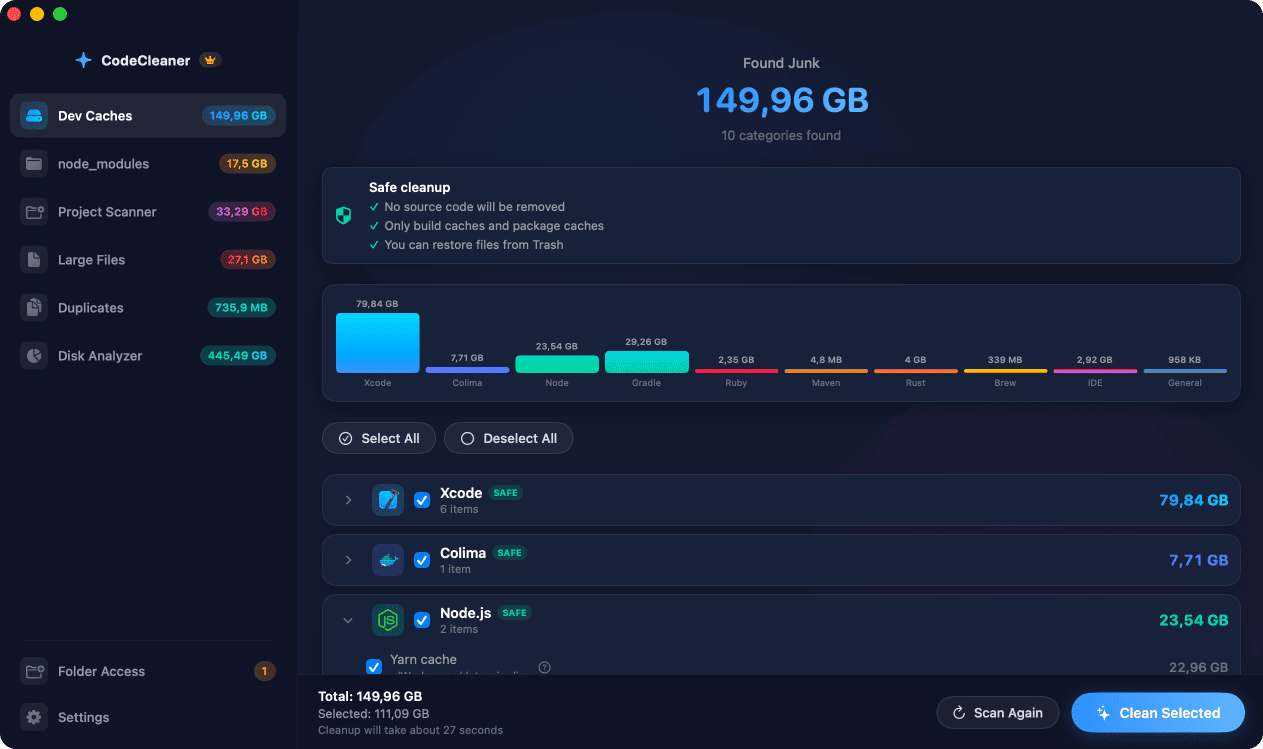
Safety is a core design principle. CodeCleaner uses whitelist-based deletion, official Docker prune commands, and requires you to review every item before cleanup. No account, no cloud upload, no telemetry.
Whitelist-based deletion
Only paths on a known-safe list of cache locations and recognized build artifact folder names can be removed. Unexpected files in scan results cannot enter the deletion queue.
Docker cleanup via official CLI
Docker resources are cleaned with docker prune commands — not by deleting Docker.raw directly. This keeps Docker's internal state consistent.
node_modules and build artifact validation
The node_modules scanner validates directory names. The Project Scanner only removes whitelisted folder names: node_modules, target, build, dist, .next, .cache, and verified virtual environments.
User review before every cleanup
You see a complete list and select or deselect items. Nothing deletes automatically. Free scan shows sizes; you decide what to remove.
Privacy and local processing
Scanning and cleanup run locally on your Mac. No file paths or scan results are uploaded. No account required.
Or use CodeCleaner
CodeCleaner automates this with a native macOS app. Scan first, review before deleting. Free scan, no account required.
Native macOS app. No account required. Local scan. You review before cleanup.
Frequently asked questions
- Will CodeCleaner delete my projects?
- No. Deletion targets are limited to known cache paths and recognized build artifact folder names. Source trees and Git metadata are outside the whitelist.
- Does CodeCleaner upload my folder list?
- No. Scanning runs locally without sending scan results to any server.
- Can CodeCleaner delete my Git repository?
- No. .git directories and source files are never on the deletion whitelist.
Why developers trust CodeCleaner
- Source code is never targeted
- Only known cache and build artifact paths
- Docker cleanup through official Docker CLI
- Local-only processing — no cloud upload
- No account required
- Free scan before paying for cleanup
Native macOS app. No account required. Local scan. You review before cleanup.