Best Mac Cleaner for Developers
Last updated: 2026-06-05
Quick answer
The best Mac cleaner for developers is one that understands toolchains — DerivedData, Docker images, node_modules, Cargo, Gradle. CodeCleaner focuses on regenerable developer caches. Generic cleaners help with general cleanup but miss developer-specific paths.
Native macOS app. No account required. Local scan. You review before cleanup.
Developers need cleaners that understand Xcode DerivedData, Docker layers, and scattered node_modules — not just browser caches. This page compares CodeCleaner, generic Mac cleaners, and manual terminal cleanup.
What developers should look for
Per-tool cache detection, safe deletion rules, Docker CLI integration, node_modules discovery, and review-before-delete workflow. Exact GB claims matter less than knowing what is regenerable.
CodeCleaner for developer workflows
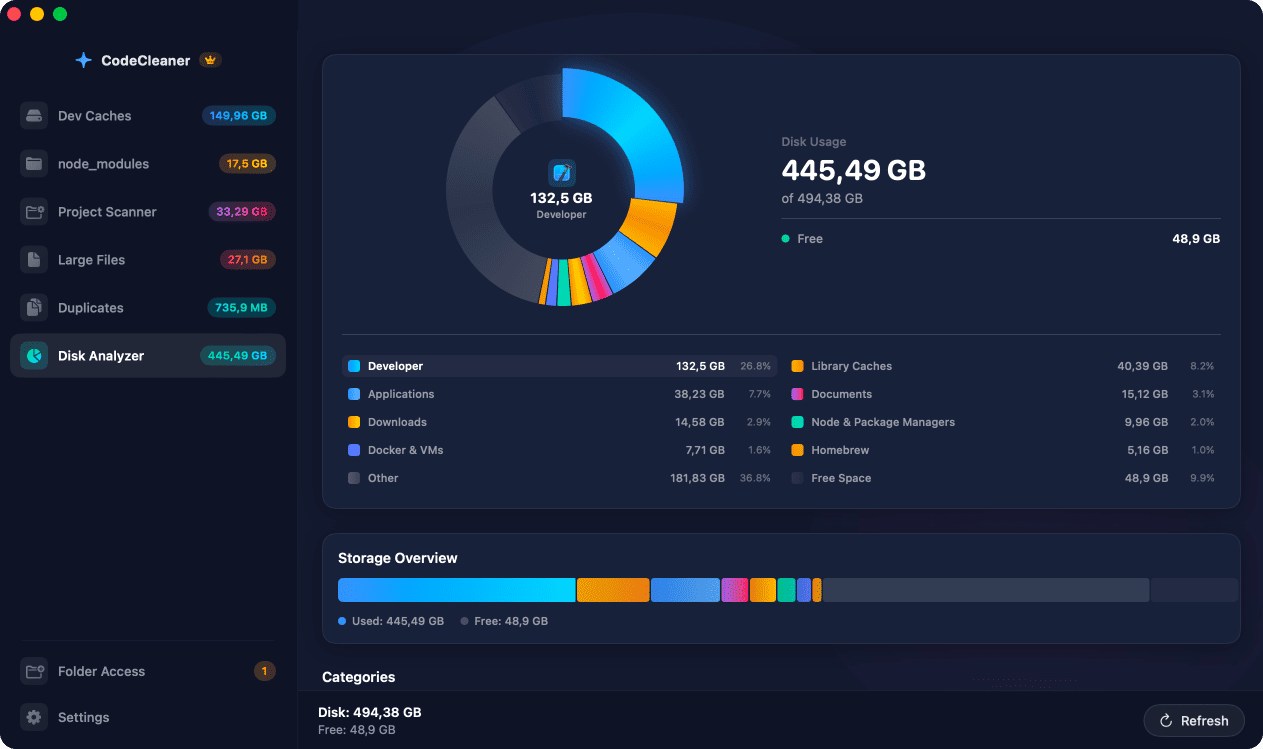
Native macOS app with six modules: Dev Caches, node_modules Scanner, Project Scanner, Large Files, Duplicates, Disk Analyzer. Free scan, no account, local processing.
When generic cleaners are enough
Generic cleaners are useful for general disk cleanup — mail attachments, browser caches, system logs. They are not designed specifically around developer toolchains.
Comparison
| Feature | CodeCleaner | Generic Mac cleaners | Manual terminal |
|---|---|---|---|
| Developer cache paths | Built-in: Xcode, Docker, node_modules, Rust, Python, Gradle, IDEs | General system and app caches | Requires knowing each toolchain's paths |
| Per-project size breakdown | Yes — DerivedData, node_modules, target/, .next | Folder-level exploration only | Manual du/find per path |
| Docker cleanup | Official docker prune via CLI | Limited or none | docker system prune (if you know the commands) |
| Source code safety | Whitelist-based — source never targeted | Generic file categories | Depends on your knowledge |
| Review before delete | Always — free scan first | Varies by product | You control every command |
| Cost | Free scan; Pro for cleanup | Paid subscription typical | Free |
Or use CodeCleaner
CodeCleaner automates this with a native macOS app. Scan first, review before deleting. Free scan, no account required.
Native macOS app. No account required. Local scan. You review before cleanup.
Frequently asked questions
- Is CodeCleaner better than CleanMyMac for developers?
- Generic cleaners are useful for general disk cleanup, but they are not designed specifically around developer toolchains. CodeCleaner focuses on regenerable developer caches and build artifacts.
- Is manual terminal cleanup better?
- Manual commands are free and powerful, but they require knowing what to delete and reviewing each path yourself.
Why developers trust CodeCleaner
- Source code is never targeted
- Only known cache and build artifact paths
- Docker cleanup through official Docker CLI
- Local-only processing — no cloud upload
- No account required
- Free scan before paying for cleanup
Native macOS app. No account required. Local scan. You review before cleanup.