CodeCleaner vs DaisyDisk for Developers
Last updated: 2026-06-05
Quick answer
DaisyDisk is strong for visual disk exploration — you see what is large and decide manually. CodeCleaner is stronger for guided developer-cache cleanup with whitelist rules, Docker CLI, and node_modules scanning. Many developers use both approaches.
Native macOS app. No account required. Local scan. You review before cleanup.
DaisyDisk helps you see disk usage visually. CodeCleaner helps you clean developer caches safely with toolchain awareness. Different tools for different steps in the workflow.
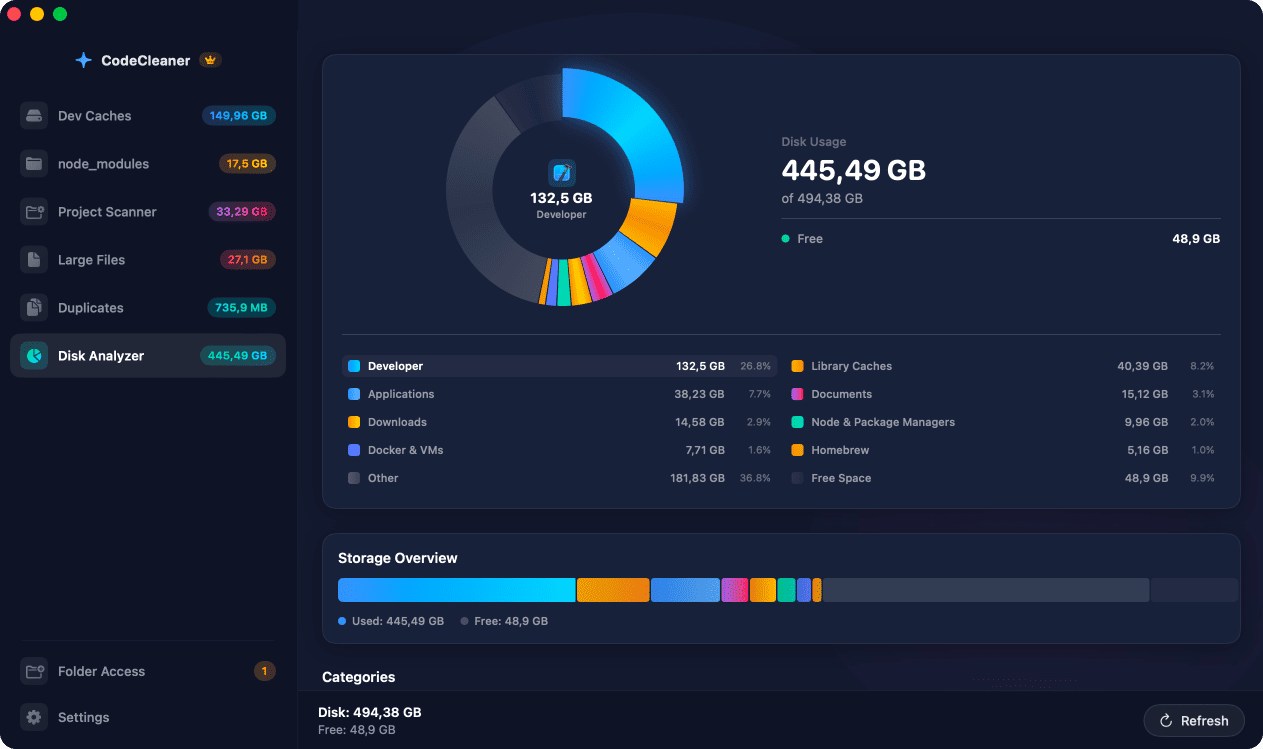
DaisyDisk strengths
Beautiful sunburst visualization of any folder. Excellent for exploring unknown large directories and understanding disk layout quickly.
CodeCleaner strengths
Pre-mapped developer cache paths, per-project DerivedData sizes, node_modules scanner, Docker prune integration, and whitelist deletion. Less exploration, more guided cleanup.
Complementary workflow
Use DaisyDisk to find unexpected large folders. Use CodeCleaner to safely clean known developer caches without researching each path.
Comparison
| Feature | CodeCleaner | DaisyDisk | Manual terminal |
|---|---|---|---|
| Visual disk map | Disk Analyzer module | Industry-leading sunburst UI | du and find |
| Developer cache paths | Pre-mapped and labeled | You explore manually | You research paths |
| Safe delete guidance | Whitelist + review UI | You judge safety | Your responsibility |
| Docker CLI prune | Built-in | Manual | docker system prune |
Or use CodeCleaner
CodeCleaner automates this with a native macOS app. Scan first, review before deleting. Free scan, no account required.
Native macOS app. No account required. Local scan. You review before cleanup.
Frequently asked questions
- Should I replace DaisyDisk with CodeCleaner?
- Not necessarily. DaisyDisk is strong for visual disk exploration; CodeCleaner is stronger for guided developer-cache cleanup.
Why developers trust CodeCleaner
- Source code is never targeted
- Only known cache and build artifact paths
- Docker cleanup through official Docker CLI
- Local-only processing — no cloud upload
- No account required
- Free scan before paying for cleanup
Native macOS app. No account required. Local scan. You review before cleanup.