Developer Disk Cleaner for Mac
Last updated: 2026-06-05
Quick answer
CodeCleaner is a native macOS developer disk cleaner that finds regenerable caches from Xcode, Docker, node_modules, Gradle, Python, Rust, Homebrew, and IDEs. Free scan, no account required. You review everything before deletion.
Native macOS app. No account required. Local scan. You review before cleanup.
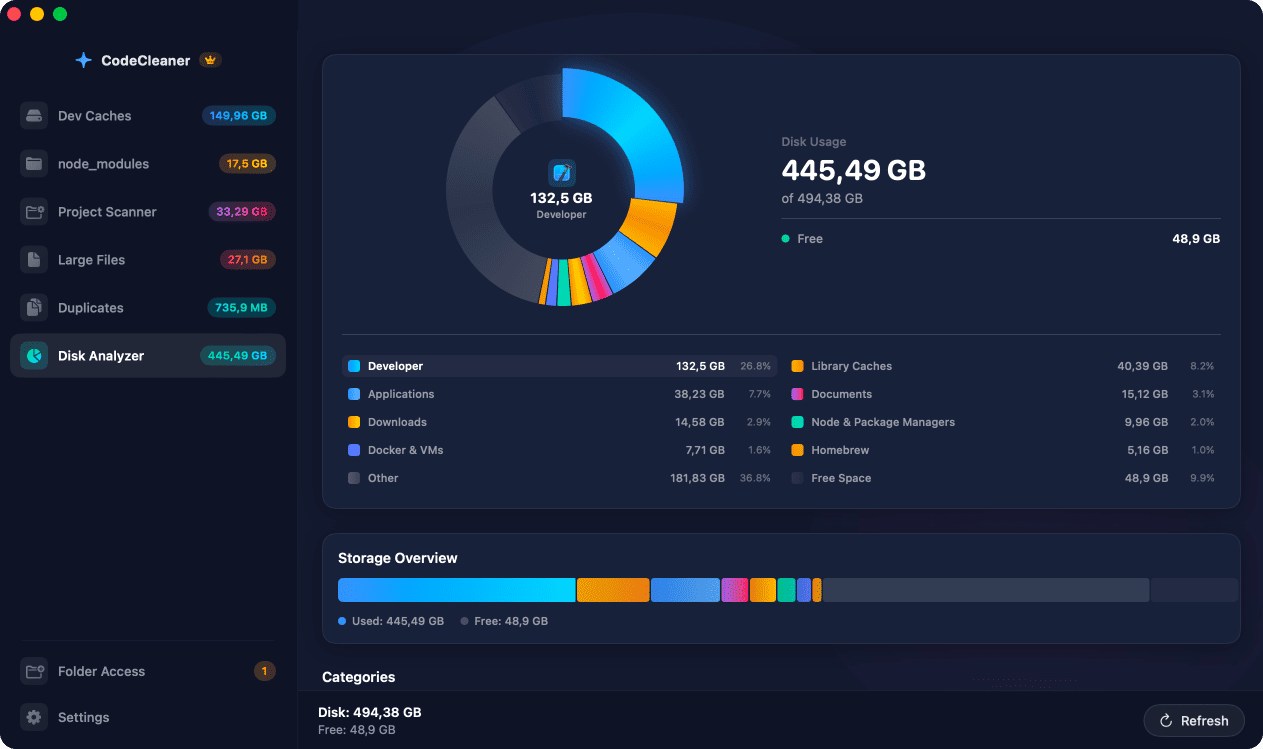
Generic Mac cleaners show general disk usage. CodeCleaner understands developer toolchains — DerivedData, simulator runtimes, Docker images, node_modules, Cargo registry, Gradle caches, and IDE workspace storage. Many developers can reclaim tens of GB.
What makes a developer disk cleaner different?
Developer tools create regenerable caches and build artifacts in predictable paths. A developer-focused cleaner knows those paths, shows per-tool sizes, and uses safe deletion rules — whitelist paths, Docker CLI for containers, never source code.
Six tools in one native macOS app
Dev Caches Cleanup, node_modules Scanner, Project Build Artifact Scanner, Large File Finder, Duplicate File Detector, and Disk Analyzer. Requires macOS 14 Sonoma or later. Apple Silicon and Intel supported.
Free scan — review before cleanup
Scan is free with no account required. Processing is local-only. You select what to delete. Pro subscription unlocks cleanup and advanced features.
iOS and macOS developers
Xcode DerivedData, iOS simulators, archives, DeviceSupport, SPM cache. Often the largest single source of reclaimable space.
JavaScript and TypeScript developers
node_modules across projects, npm/yarn/pnpm caches, Next.js .next and dist/build folders.
Backend and DevOps developers
Docker images, volumes, build cache, Colima and Lima VMs.
Android developers
Gradle caches, Android Studio caches, AVD emulator images.
Polyglot developers
Rust Cargo, Python pip/Poetry/Conda, Go modules, Maven, Homebrew, Flutter pub cache.
AI and IDE-heavy users
Cursor, VS Code, and JetBrains caches, workspace storage, extensions, and logs.
Native macOS app. No account required. Local scan. You review before cleanup.
Manual steps (Terminal)
Run these commands in Terminal first. Scan first, review before deleting — or use CodeCleaner for a visual interface with per-item size breakdowns.
Check Xcode DerivedData
du -sh ~/Library/Developer/Xcode/DerivedDataCheck Docker usage
docker system dfCount node_modules folders
find ~/Projects -name node_modules -type d -prune | wc -lOr use CodeCleaner
CodeCleaner automates this with a native macOS app. Scan first, review before deleting. Free scan, no account required.
Native macOS app. No account required. Local scan. You review before cleanup.
Frequently asked questions
- Is CodeCleaner better than CleanMyMac for developers?
- Generic cleaners are useful for general disk cleanup, but they are not designed specifically around developer toolchains. CodeCleaner focuses on regenerable developer caches and build artifacts.
- Will CodeCleaner delete my projects?
- No. Source code is never targeted. Only known cache and build artifact paths on a whitelist can be removed.
- How much space can I reclaim?
- Many developers can reclaim tens of GB. Xcode, Docker, and node_modules are often the largest sources.
Why developers trust CodeCleaner
- Source code is never targeted
- Only known cache and build artifact paths
- Docker cleanup through official Docker CLI
- Local-only processing — no cloud upload
- No account required
- Free scan before paying for cleanup
Native macOS app. No account required. Local scan. You review before cleanup.