Find and Delete node_modules Folders on Mac
Last updated: 2026-06-05
Quick answer
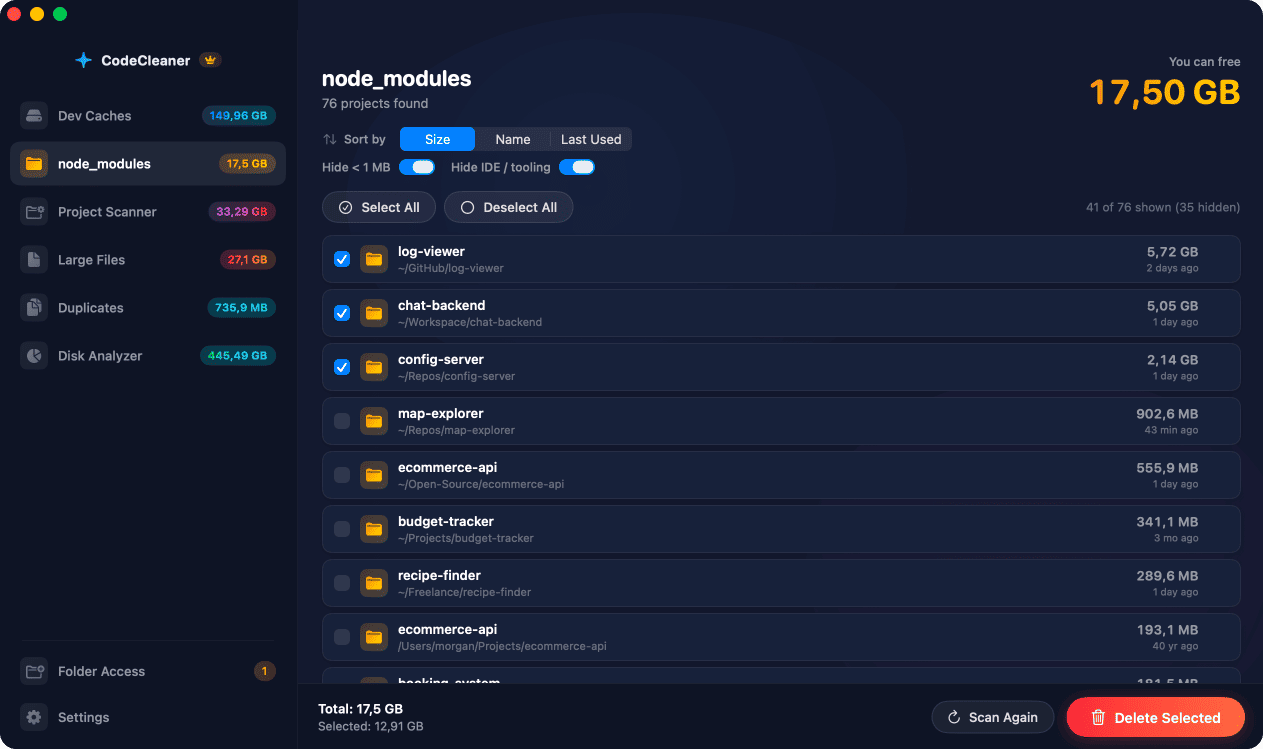
Find node_modules with find ~ -name node_modules -type d -prune. Check sizes with du -sh. Delete only after reviewing — npm install recreates them. CodeCleaner finds every node_modules, shows sizes, sorting, and last-used date for bulk select.
Native macOS app. No account required. Local scan. You review before cleanup.
Every JavaScript project duplicates its full dependency tree in node_modules. With dozens of repos on one Mac, those folders often exceed package manager caches in total size. This guide shows how to find and remove them safely.
Why node_modules consume so much disk space
Each project installs its own copy of dependencies. A typical React or Next.js node_modules is 200 MB–1 GB. Twenty abandoned projects can mean 5–15 GB or more — all regenerable from lockfiles.
Find all node_modules with sizes
find ~ -name node_modules -type d -prune -exec du -sh {} \; lists every instance with size. This can be slow on large home directories — limit to ~/Developer or ~/Projects for faster results.
Dry run before bulk delete
First list paths only: find ~ -name node_modules -type d -prune. Review the list. Only then run the destructive rm command. Never delete node_modules from projects you actively develop without planning a reinstall.
How CodeCleaner's node_modules scanner works
CodeCleaner uses optimized filesystem APIs to find every node_modules quickly, displays sizes, supports sorting by size or last-used date, and lets you bulk-select stale folders. Scan is free — you review before deleting.
Manual steps (Terminal)
Run these commands in Terminal first. Scan first, review before deleting — or use CodeCleaner for a visual interface with per-item size breakdowns.
List node_modules with sizes
find ~ -name node_modules -type d -prune -exec du -sh {} \;Dry run — list paths only
find ~ -name node_modules -type d -pruneDelete all node_modules (destructive)
find ~ -name node_modules -type d -prune -exec rm -rf {} +Safety warnings
- Run the dry-run list before the destructive find … -exec rm -rf command.
- Limit find scope to directories you own if possible (e.g. ~/Projects).
Or use CodeCleaner
CodeCleaner automates this with a native macOS app. Scan first, review before deleting. Free scan, no account required.
Native macOS app. No account required. Local scan. You review before cleanup.
Frequently asked questions
- How do I find all node_modules folders on my Mac?
- Use find ~ -name node_modules -type d -prune with du -sh for sizes, or CodeCleaner's dedicated node_modules scanner for faster results with last-used dates.
- Is it safe to delete node_modules?
- Yes — run npm install, yarn, or pnpm install in each project to recreate them from the lockfile.
- Will CodeCleaner delete my projects?
- No. CodeCleaner targets node_modules folders only — your source code, package.json, and lockfiles remain.
Why developers trust CodeCleaner
- Source code is never targeted
- Only known cache and build artifact paths
- Docker cleanup through official Docker CLI
- Local-only processing — no cloud upload
- No account required
- Free scan before paying for cleanup
Native macOS app. No account required. Local scan. You review before cleanup.