Clean Next.js Build Cache on Mac
Last updated: 2026-06-05
Quick answer
Next.js stores build cache in .next inside each project. Delete with rm -rf .next or find across projects. node_modules is separate but often larger. CodeCleaner Project Scanner finds .next and node_modules ranked by size.
Native macOS app. No account required. Local scan. You review before cleanup.
Next.js apps generate large .next folders with compiled pages, cache, and static assets. Combined with node_modules, a single app can exceed 1 GB — multiplied across many repos.
What is in .next?
.next contains compiled pages, webpack/turbopack cache, and static export output. It regenerates on next npm run build or next dev.
Find .next folders across projects
find ~/Projects -name .next -type d -prune -exec du -sh {} \; lists all instances with sizes. Limit scope to your code directory for speed.
How CodeCleaner finds Next.js artifacts
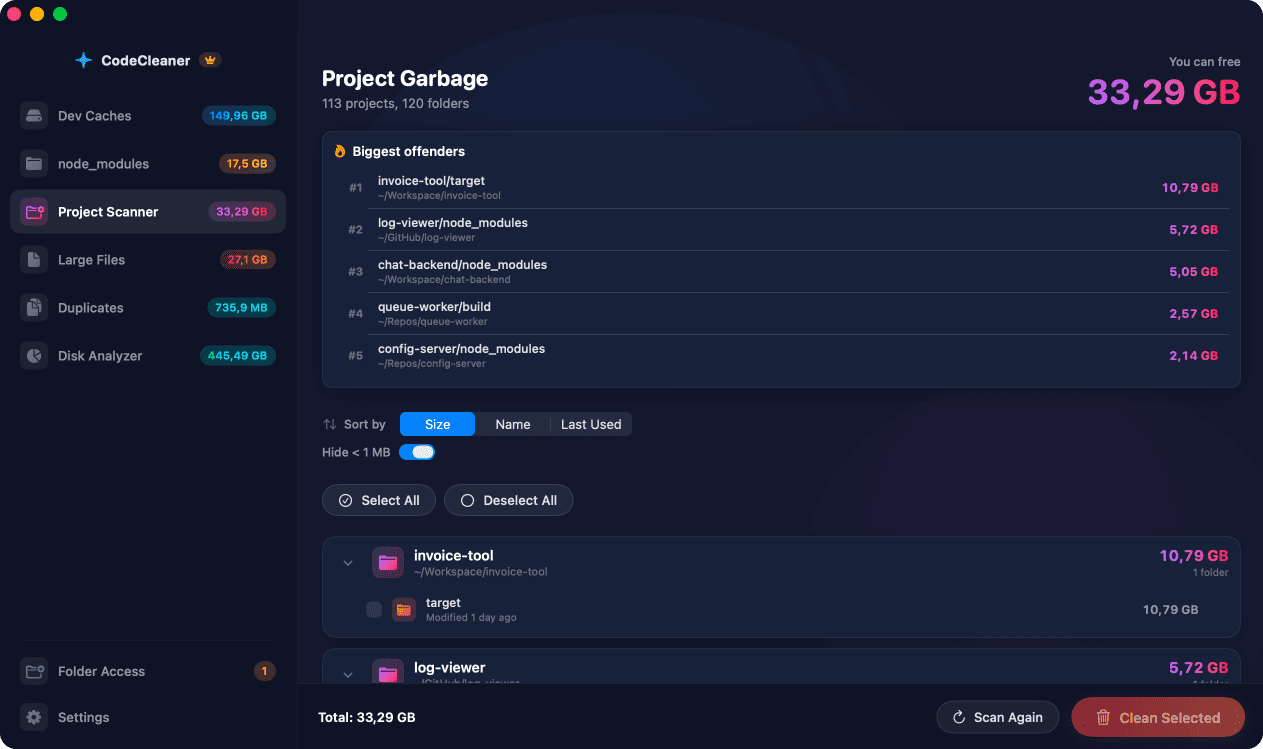
Project Build Artifact Scanner detects .next, node_modules, dist, and build folders with a whitelist of safe names. Scan first, review before deleting.
Manual steps (Terminal)
Run these commands in Terminal first. Scan first, review before deleting — or use CodeCleaner for a visual interface with per-item size breakdowns.
List .next folders with sizes
find ~/Projects -name .next -type d -prune -exec du -sh {} \;Remove all .next under Projects
find ~/Projects -name .next -type d -prune -exec rm -rf {} +Remove .next in current project
rm -rf .next # inside a single projectSafety warnings
- Run find list before bulk rm. Active projects will rebuild .next on next dev or build.
Or use CodeCleaner
CodeCleaner automates this with a native macOS app. Scan first, review before deleting. Free scan, no account required.
Native macOS app. No account required. Local scan. You review before cleanup.
Frequently asked questions
- Is it safe to delete .next?
- Yes. Next.js recreates it on next build or dev server start.
Why developers trust CodeCleaner
- Source code is never targeted
- Only known cache and build artifact paths
- Docker cleanup through official Docker CLI
- Local-only processing — no cloud upload
- No account required
- Free scan before paying for cleanup
Native macOS app. No account required. Local scan. You review before cleanup.