Clear npm, Yarn and pnpm Cache on Mac
Last updated: 2026-06-05
Quick answer
Clear npm cache with npm cache clean --force, Yarn with yarn cache clean, and pnpm with pnpm store prune. Caches live at ~/.npm, ~/Library/Caches/Yarn, and ~/.pnpm-store. This is separate from per-project node_modules folders.
Native macOS app. No account required. Local scan. You review before cleanup.
Package manager caches speed up installs but grow indefinitely. Clearing them is safe — the next install re-downloads packages. This guide covers npm, Yarn, and pnpm with size-check commands and explains how caches differ from node_modules.
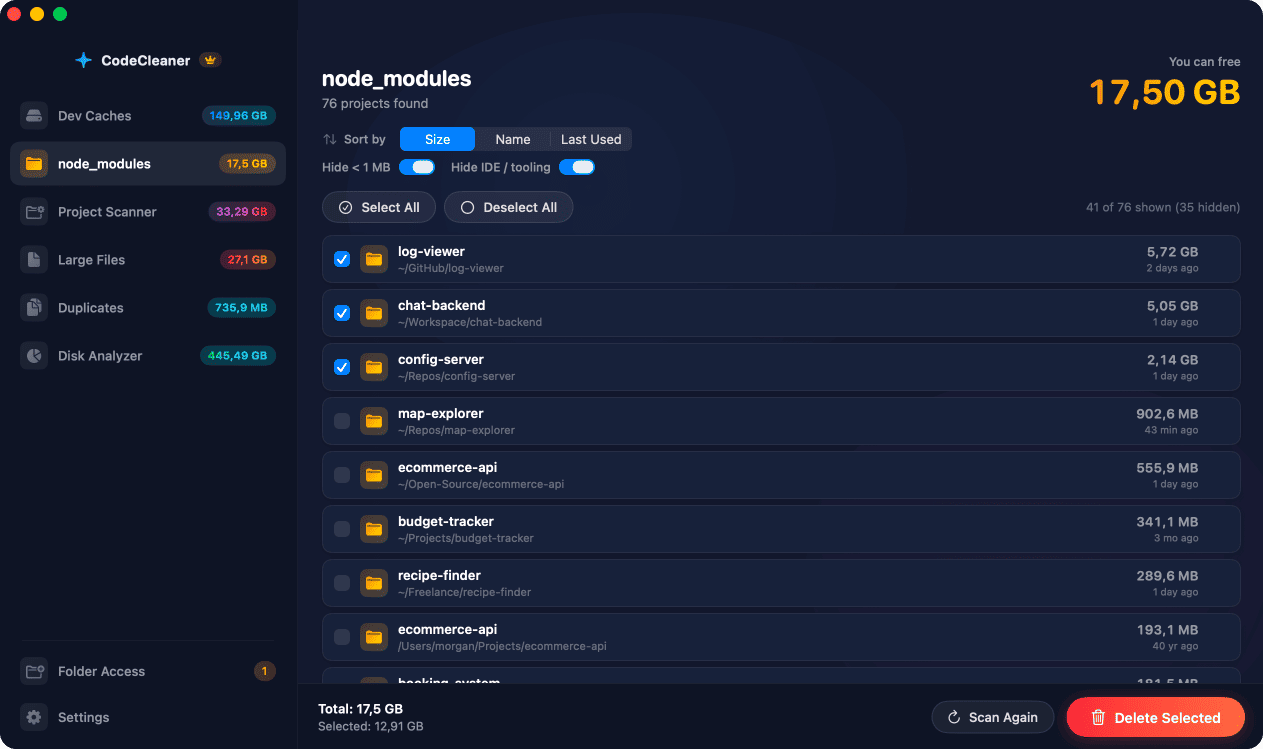
Where npm, Yarn, and pnpm store caches
npm: ~/.npm. Yarn v1: ~/Library/Caches/Yarn. pnpm: ~/.pnpm-store or ~/.local/share/pnpm/store. Each keeps old package versions that are never auto-pruned.
Cache vs node_modules — what is the difference?
Global caches deduplicate downloads across projects. node_modules are per-project installed trees. Clearing cache frees global store space; deleting node_modules frees per-repo space. For maximum savings, address both.
Check cache sizes before cleaning
du -sh on each cache path shows how much you can reclaim. npm cache verify reports integrity before npm cache clean --force.
How CodeCleaner handles Node.js caches
CodeCleaner's Dev Caches module detects npm, Yarn, and pnpm installations and shows each global cache size. Scan first, review before deleting.
Manual steps (Terminal)
Run these commands in Terminal first. Scan first, review before deleting — or use CodeCleaner for a visual interface with per-item size breakdowns.
Verify npm cache
npm cache verifyClear npm cache
npm cache clean --forceClear Yarn cache
yarn cache cleanPrune pnpm store
pnpm store pruneCheck all cache sizes
du -sh ~/.npm ~/Library/Caches/Yarn ~/.pnpm-store ~/.local/share/pnpm/storeSafety warnings
- The next install after clearing cache may download packages again — expect slower first install.
Or use CodeCleaner
CodeCleaner automates this with a native macOS app. Scan first, review before deleting. Free scan, no account required.
Native macOS app. No account required. Local scan. You review before cleanup.
Frequently asked questions
- Can I delete npm cache?
- Yes. npm cache clean --force removes the global cache. Packages re-download on next install.
- Does clearing cache remove node_modules?
- No. Caches and node_modules are separate. Clear cache for global store space; delete node_modules per project for larger savings.
Why developers trust CodeCleaner
- Source code is never targeted
- Only known cache and build artifact paths
- Docker cleanup through official Docker CLI
- Local-only processing — no cloud upload
- No account required
- Free scan before paying for cleanup
Native macOS app. No account required. Local scan. You review before cleanup.