Mac Running Out of Space Because of Developer Tools?
Last updated: 2026-06-05
Quick answer
If your Mac says disk almost full but Finder does not show why, developer caches are a common cause. Check ~/Library/Developer, ~/.npm, ~/.docker, ~/.colima, ~/.cargo, and ~/.gradle with du -sh. CodeCleaner scans all of these in one free pass.
Native macOS app. No account required. Local scan. You review before cleanup.
Your Mac says disk almost full, but Finder does not show why. System Data or Developer folders often hide tens of gigabytes in caches that regenerate safely. This diagnostic guide lists the folders to check first.
Common developer folders to check
- ~/Library/Developer
- ~/Library/Developer/CoreSimulator
- ~/.npm
- ~/.pnpm-store
- ~/.cargo
- ~/.gradle
- ~/.colima
- ~/.lima
- ~/Library/Caches
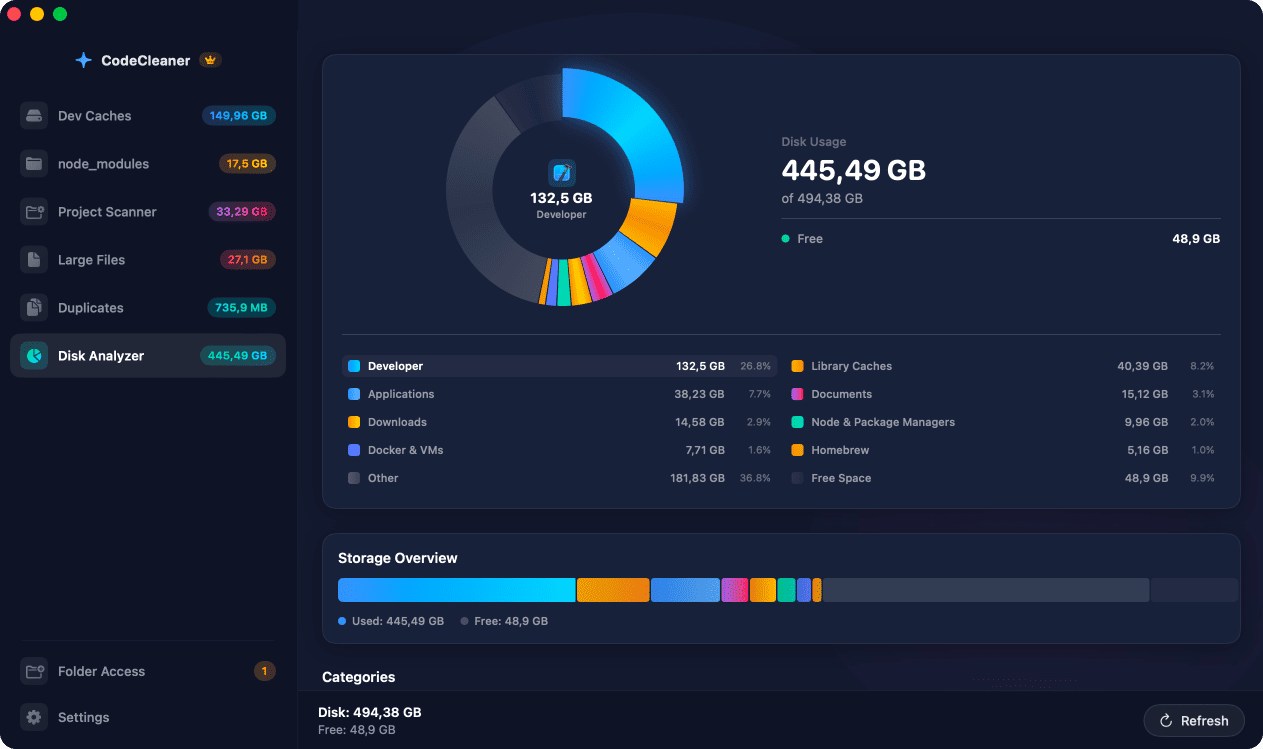
Why developer Macs fill up silently
Xcode, Docker, Node.js, Rust, Python, Gradle, and IDEs write to ~/Library and dot-folders. These paths are hidden from typical Finder browsing and grow without automatic cleanup.
Folders to check first
Start with ~/Library/Developer (Xcode and simulators), ~/Library/Developer/CoreSimulator, ~/.npm, ~/.pnpm-store, ~/.cargo, ~/.gradle, ~/.colima, ~/.lima, and ~/Library/Caches.
What to do after you find the culprit
Use the dedicated guide for that toolchain — DerivedData, Docker prune, node_modules scanner, etc. Measure first, delete regenerable data only, and keep backups of anything non-regenerable.
Manual steps (Terminal)
Run these commands in Terminal first. Scan first, review before deleting — or use CodeCleaner for a visual interface with per-item size breakdowns.
Xcode developer folder
du -sh ~/Library/DeveloperCoreSimulator
du -sh ~/Library/Developer/CoreSimulatornpm and pnpm
du -sh ~/.npm ~/.pnpm-storeRust Cargo
du -sh ~/.cargoGradle
du -sh ~/.gradleColima and Lima
du -sh ~/.colima ~/.limaDocker
docker system dfOr use CodeCleaner
CodeCleaner automates this with a native macOS app. Scan first, review before deleting. Free scan, no account required.
Native macOS app. No account required. Local scan. You review before cleanup.
Frequently asked questions
- Why is System Data huge on my developer Mac?
- System Data often includes Docker disk images, Xcode caches, and other developer tool data stored outside obvious user folders.
Why developers trust CodeCleaner
- Source code is never targeted
- Only known cache and build artifact paths
- Docker cleanup through official Docker CLI
- Local-only processing — no cloud upload
- No account required
- Free scan before paying for cleanup
Native macOS app. No account required. Local scan. You review before cleanup.