Clean Gradle Cache on Mac
Last updated: 2026-06-05
Quick answer
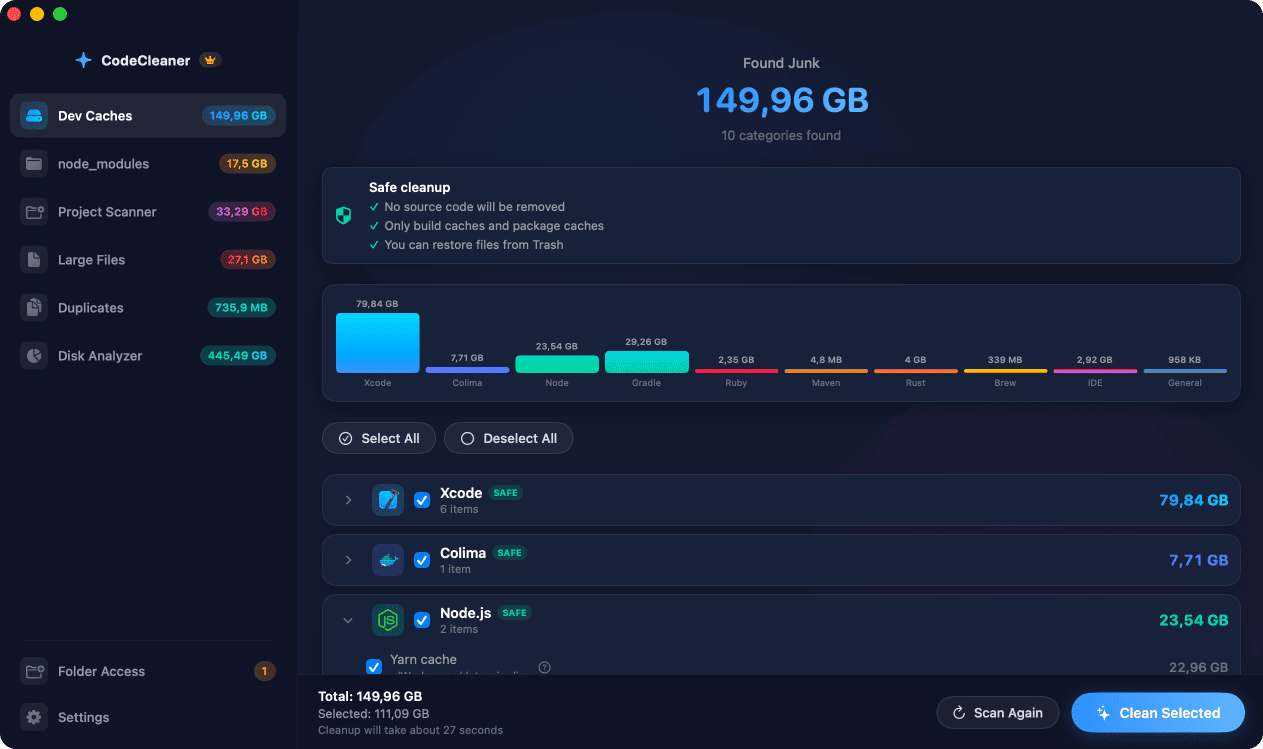
Gradle caches live at ~/.gradle/caches with wrapper distributions at ~/.gradle/wrapper/dists. Delete caches with rm -rf ~/.gradle/caches — Gradle re-downloads on next build. CodeCleaner shows Gradle cache size before you delete.
Native macOS app. No account required. Local scan. You review before cleanup.
Gradle stores downloaded dependencies, plugin data, and build outputs in ~/.gradle. Multiple Gradle versions across projects multiply wrapper distributions. Android developers often see 5–12 GB from Gradle and related caches combined.
What is in the Gradle cache?
~/.gradle/caches holds resolved dependencies and transforms. ~/.gradle/wrapper/dists stores each Gradle wrapper version. ~/.gradle/daemon accumulates daemon logs and lock files.
Safe Gradle cache cleanup
Stop active Gradle daemons if needed. Removing caches invalidates transforms — the next sync or build re-downloads artifacts. This is safe but the first rebuild may be slower.
How CodeCleaner cleans Gradle caches
CodeCleaner detects Gradle installations, shows cache and wrapper sizes, and lets you selectively clean. Scan first, review before deleting.
Manual steps (Terminal)
Run these commands in Terminal first. Scan first, review before deleting — or use CodeCleaner for a visual interface with per-item size breakdowns.
Check Gradle caches size
du -sh ~/.gradle/cachesCheck wrapper distributions
du -sh ~/.gradle/wrapper/distsRemove Gradle caches
rm -rf ~/.gradle/cachesRemove wrapper distributions
rm -rf ~/.gradle/wrapper/distsSafety warnings
- Close Android Studio before deleting large Gradle caches to avoid file locks.
Or use CodeCleaner
CodeCleaner automates this with a native macOS app. Scan first, review before deleting. Free scan, no account required.
Native macOS app. No account required. Local scan. You review before cleanup.
Frequently asked questions
- Is it safe to delete ~/.gradle/caches?
- Yes. Gradle re-resolves dependencies on the next build. Expect slower first sync.
Why developers trust CodeCleaner
- Source code is never targeted
- Only known cache and build artifact paths
- Docker cleanup through official Docker CLI
- Local-only processing — no cloud upload
- No account required
- Free scan before paying for cleanup
Native macOS app. No account required. Local scan. You review before cleanup.