Clean Xcode Cache on Mac
Last updated: 2026-06-05
Quick answer
Xcode cache on Mac spans DerivedData, simulators, archives, DeviceSupport, and Swift Package Manager caches under ~/Library/Developer. Check sizes with du, clean manually with rm and xcrun simctl, or use CodeCleaner to review each category before deletion.
Native macOS app. No account required. Local scan. You review before cleanup.
When Xcode takes too much space, the cause is rarely a single folder. DerivedData, iOS simulators, archived builds, device support files, and SPM caches all grow silently. This guide covers each location with safe manual commands.
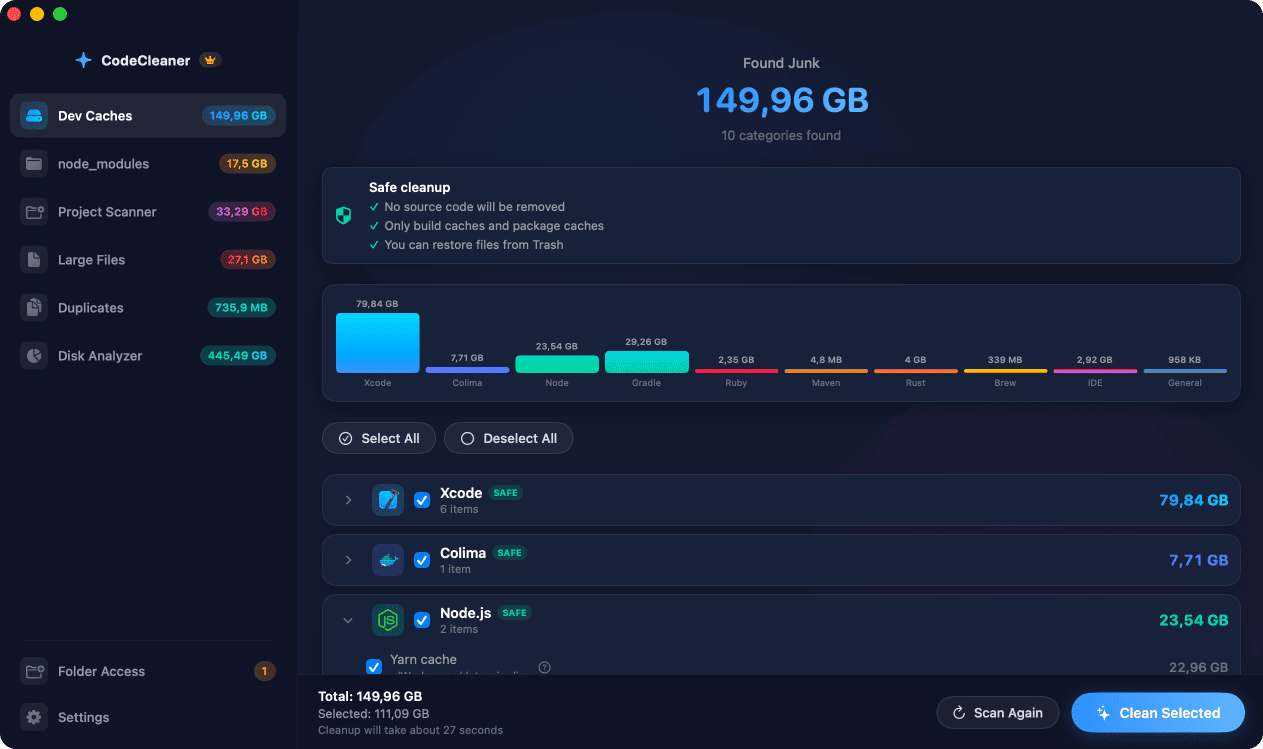
Xcode cache locations on Mac
Main areas: ~/Library/Developer/Xcode/DerivedData (build products), ~/Library/Developer/CoreSimulator (simulator data), ~/Library/Developer/Xcode/Archives (App Store archives), ~/Library/Developer/Xcode/iOS DeviceSupport (connected device symbols), and ~/Library/Caches/org.swift.swiftpm (SPM cache).
Check how much each Xcode folder uses
Run du -sh on each path to see totals before deleting anything. DerivedData and CoreSimulator are usually the largest. Archives and DeviceSupport add up if you ship iOS apps over years.
Clean simulators without breaking active runtimes
xcrun simctl delete unavailable removes broken or obsolete simulator devices. Do not delete simulator runtimes you still test against — keep iOS versions your CI and App Store builds require.
How CodeCleaner cleans Xcode caches
CodeCleaner scans all Xcode-related paths, shows per-category and per-project sizes, and lets you select what to remove. Scan is free, no account required. You review every item before cleanup.
Manual steps (Terminal)
Run these commands in Terminal first. Scan first, review before deleting — or use CodeCleaner for a visual interface with per-item size breakdowns.
Total Xcode folder size
du -sh ~/Library/Developer/XcodeDerivedData size
du -sh ~/Library/Developer/Xcode/DerivedDataCoreSimulator size
du -sh ~/Library/Developer/CoreSimulatorDelete unavailable simulators
xcrun simctl delete unavailableClear SPM cache
rm -rf ~/Library/Caches/org.swift.swiftpmSafety warnings
- Keep simulator runtimes for iOS versions you still ship against.
- Archives contain signed builds — only delete if you no longer need those submissions.
Or use CodeCleaner
CodeCleaner automates this with a native macOS app. Scan first, review before deleting. Free scan, no account required.
Native macOS app. No account required. Local scan. You review before cleanup.
Frequently asked questions
- How much space does Xcode cache use?
- Many developers see 25–60 GB across DerivedData, simulators, archives, and SPM combined. Active iOS developers often hit the higher end.
- Is it safe to clean all Xcode caches at once?
- DerivedData, SPM cache, and unavailable simulators are safe. Be selective with archives and DeviceSupport if you still debug older devices.
Why developers trust CodeCleaner
- Source code is never targeted
- Only known cache and build artifact paths
- Docker cleanup through official Docker CLI
- Local-only processing — no cloud upload
- No account required
- Free scan before paying for cleanup
Native macOS app. No account required. Local scan. You review before cleanup.